Knowledge baseFARMGOD features
Fleet Health: every problem in a fleet on one page
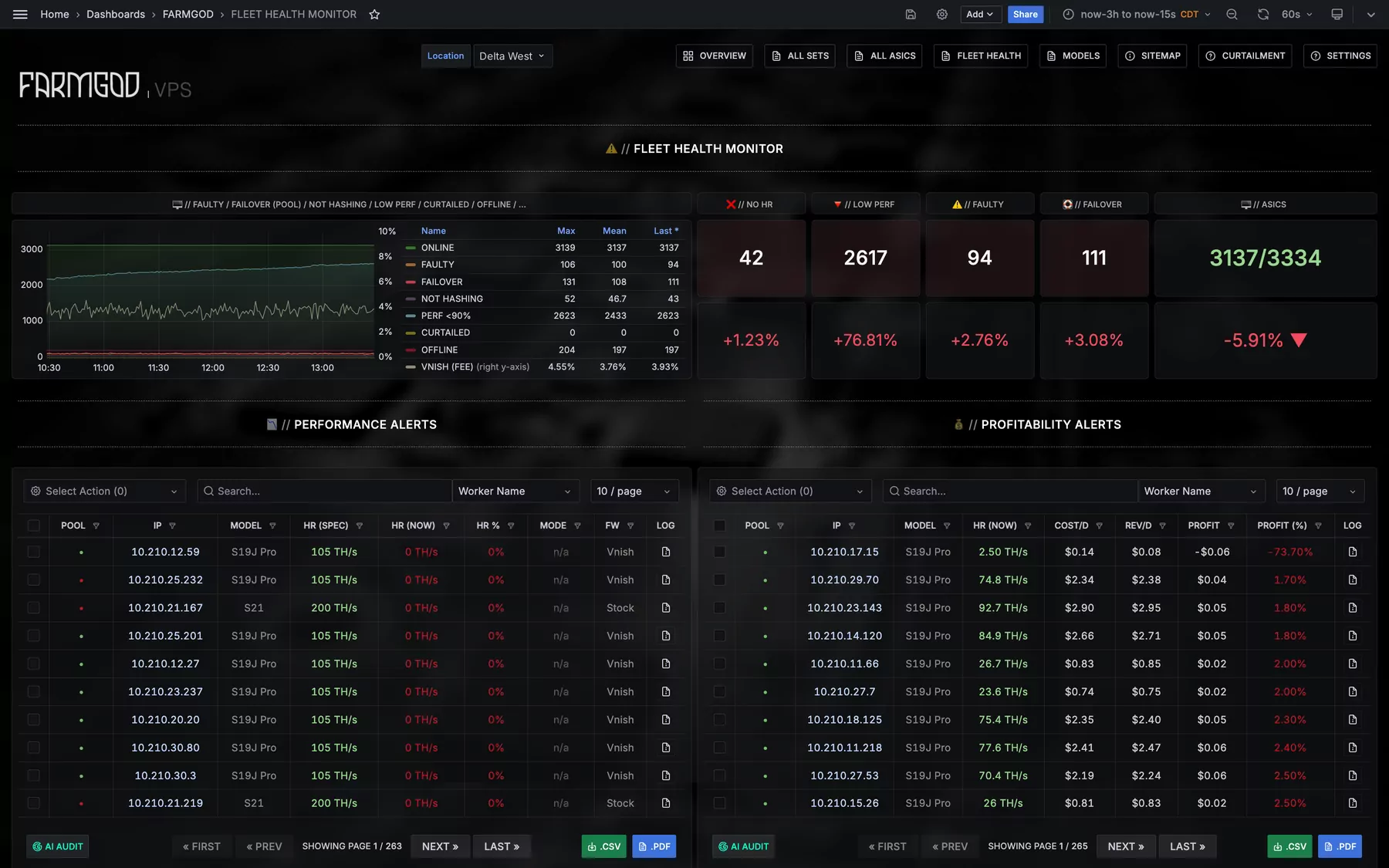
FARMGOD's Fleet Health dashboard sorts what is wrong in a mining fleet into tables of their own: not hashing, low performance, chip and board faults, fans, temperatures and pools.
A list of every miner answers "what do I have?". The question of a working day is another one: "what is wrong, and where do I start?". Fleet Health is the dashboard for that.
Five numbers first
A row of counters shows the miners not hashing, the low performers, faulty hardware, miners on a failover pool, and how many are online out of all. A chart next to them shows how those numbers moved.
One table per problem
- Performance and profitability: miners under 90% of their spec, and miners that cost more than they earn.
- Chip faults and board faults.
- Fan errors, and faulty hardware per Device-Set.
- Not hashing and low efficiency.
- High and low temperature.
- Pool failover, no active pool, duplicate worker names (pool management).
- Low uptime and offline.
From seeing to doing
Each of these tables is a full miner list. Select the miners, pick an action, and the reboot goes to exactly the ones that need it. From a single miner, the board and chip detail shows which chip is behind a fault, and the AI can audit the whole selection.
What repeats every day can be handed to Automation.
How to get it
Fleet Health is one of FARMGOD's dashboards, a click away in the top bar. The article Fleet Health: every problem in your fleet on one page shows it in pictures.
New to FARMGOD? Get started shows the three steps: FARMGOD Cloud is free for up to five miners.