April 16, 2026Features
Fleet Health: every problem in your fleet on one page
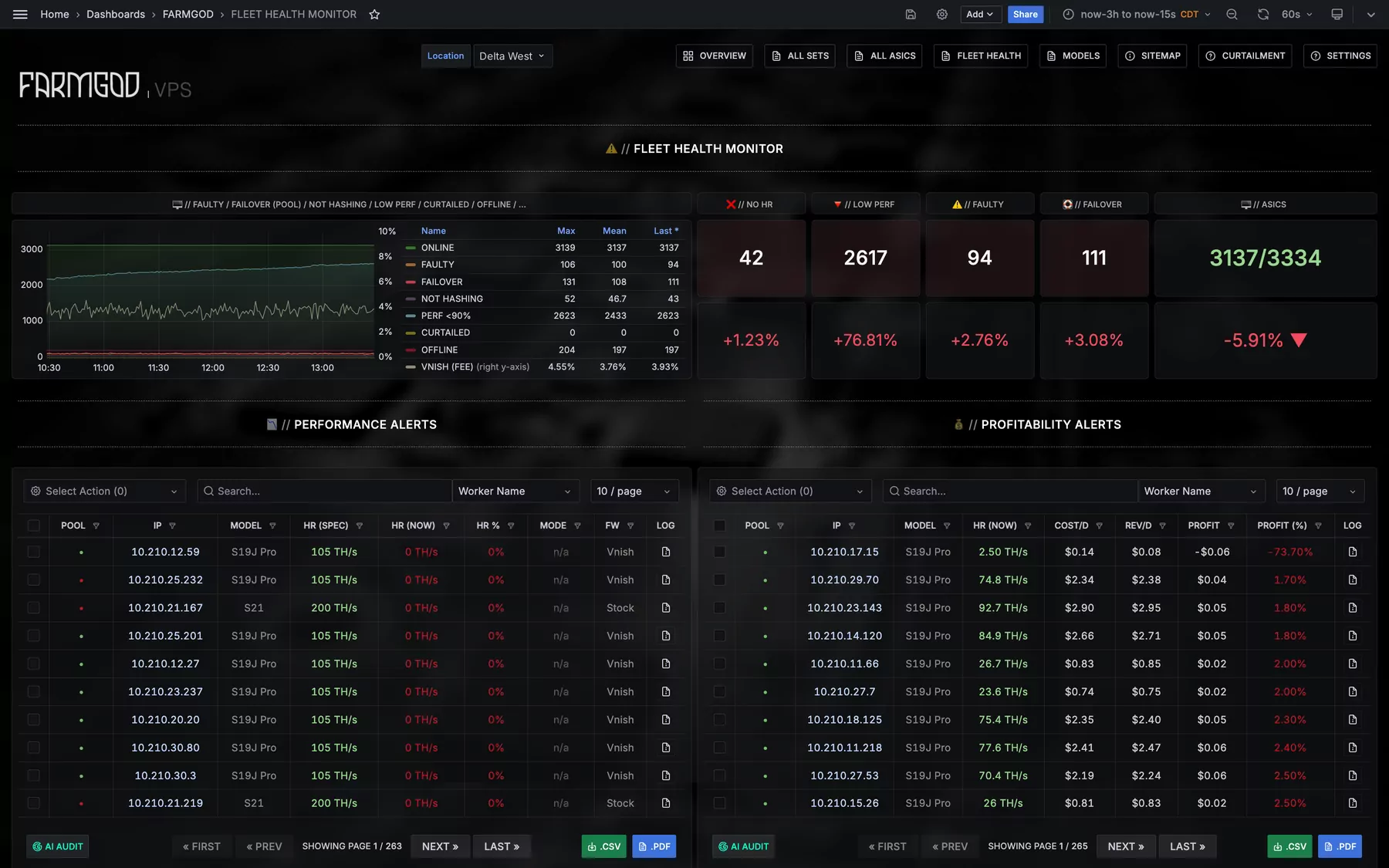
The new Fleet Health dashboard sorts what is wrong in a fleet into tables of their own: not hashing, low performance, chip and board faults, fans, temperatures, pools and more.
A list of every miner answers the question "what do I have?". The question of a working day is a different one: "what is wrong, and where do I start?". Fleet Health is the page for that.
The fleet's problems in five numbers

At the top is a row of counters: miners not hashing, low performers, faulty hardware, miners on a failover pool, and how many are online out of all. Under each one is its share of the fleet. The chart next to them shows how those numbers moved, so you see at a glance whether today is better or worse than this morning.
One table per problem
Below that, Fleet Health is a wall of tables. Each one holds exactly the miners with one kind of problem:
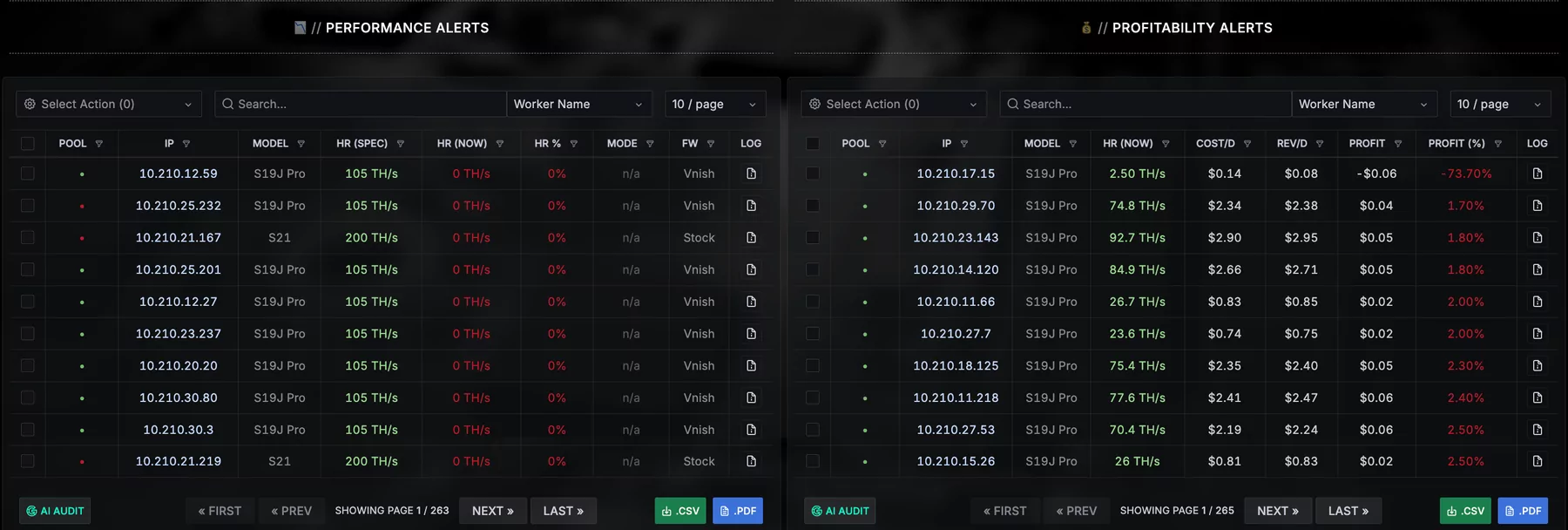
- Performance alerts and profitability alerts: miners hashing under 90% of their spec, and miners that cost more than they earn.
- Chip faults and board faults: hardware failures on single chips or whole hashboards.
- Fan errors, and an overview of faulty hardware per Device-Set.
- Low uptime: miners that have not been up for a full day.
- Not hashing and low efficiency: online but producing nothing, or producing too little per watt.
- High temperature and low temperature: the outliers in both directions.
- Pool failover and no active pool: miners that fell back to a backup pool, or reach no pool at all.
- Active pools and duplicate worker names: where the fleet really mines to, and worker names that more than one miner uses.
- Offline: every miner that does not report at all.
Why not one big table?
Because nobody checks everything every day. With one table per problem the morning round is short: look at Offline and Chip faults, deal with them, move on.
And each of these tables is a full miner list. Select the miners, pick an action, and the reboot goes to exactly the ones that need it. Search, the export as CSV or PDF and the AI audit are there as well.