Knowledge baseFARMGOD features
AI in FARMGOD: an assistant that reads your miners
FARMGOD's AI reads a miner's live stats, settings and history, says what looks wrong and answers questions in plain language: in the AI Cockpit, as a scheduled audit and as a support assistant.
Seeing a miner's numbers and knowing what they mean are two different things. FARMGOD's AI does the second part: it reads the numbers and tells you, in plain words, what they add up to.
The AI Cockpit
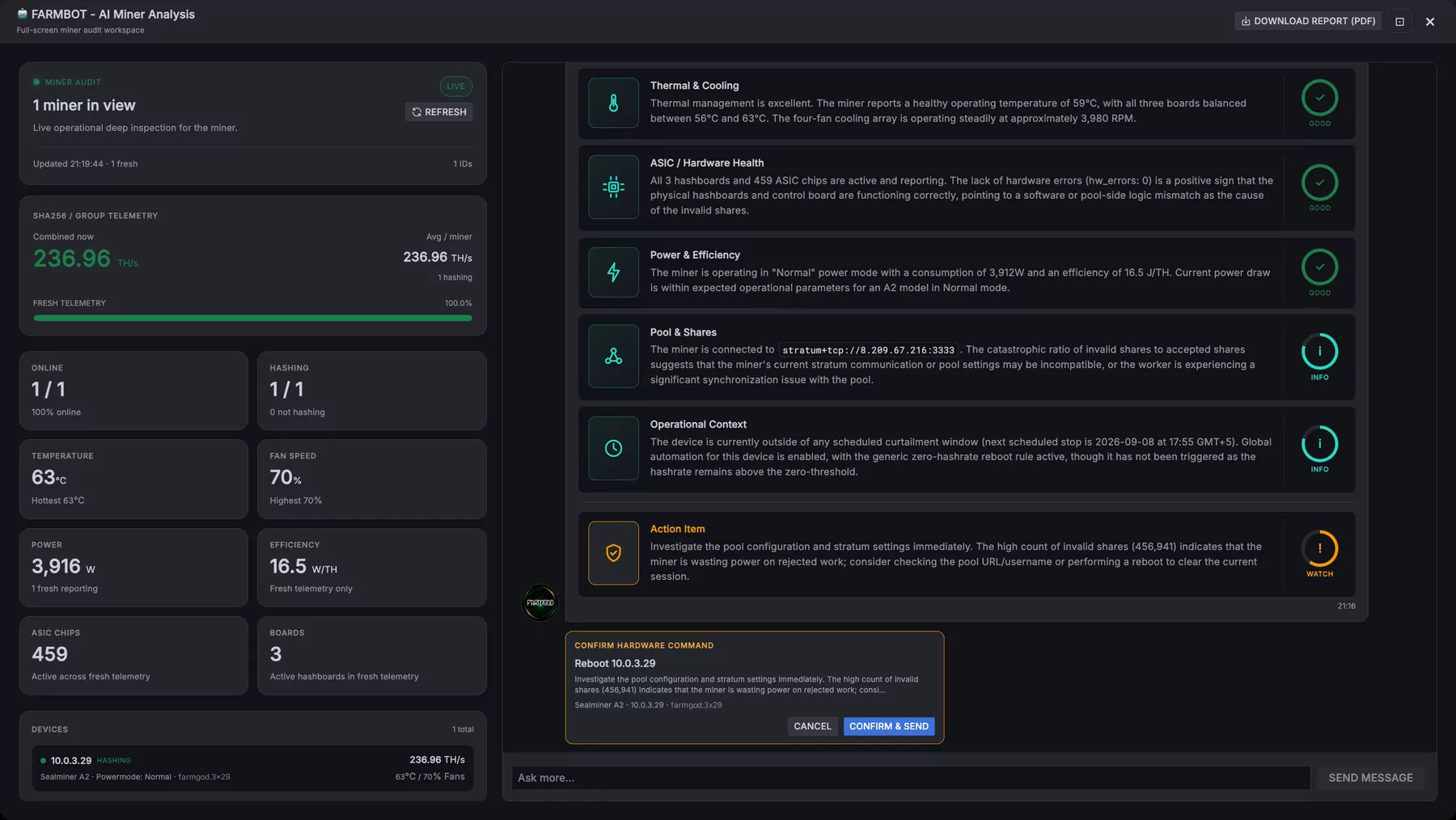
One click on a miner, and the assistant, called FARMBOT, pulls its live stats, its configuration and its recent history. The answer is a report card: cooling, hardware health, power and efficiency, pool and shares, each with a verdict, and an action item where something needs doing. Below it is an open chat for your follow-up questions.
When FARMBOT recommends a fix, it shows exactly what it wants to do and waits. Nothing is sent until you confirm.
AI Audit
The same analysis for a whole selection of miners: everything Fleet Health flags as low performance, for instance. Switched on as the AI Auditor, it runs on a schedule and notes each finding on the miner, and sends it to Telegram if you like.
The support assistant
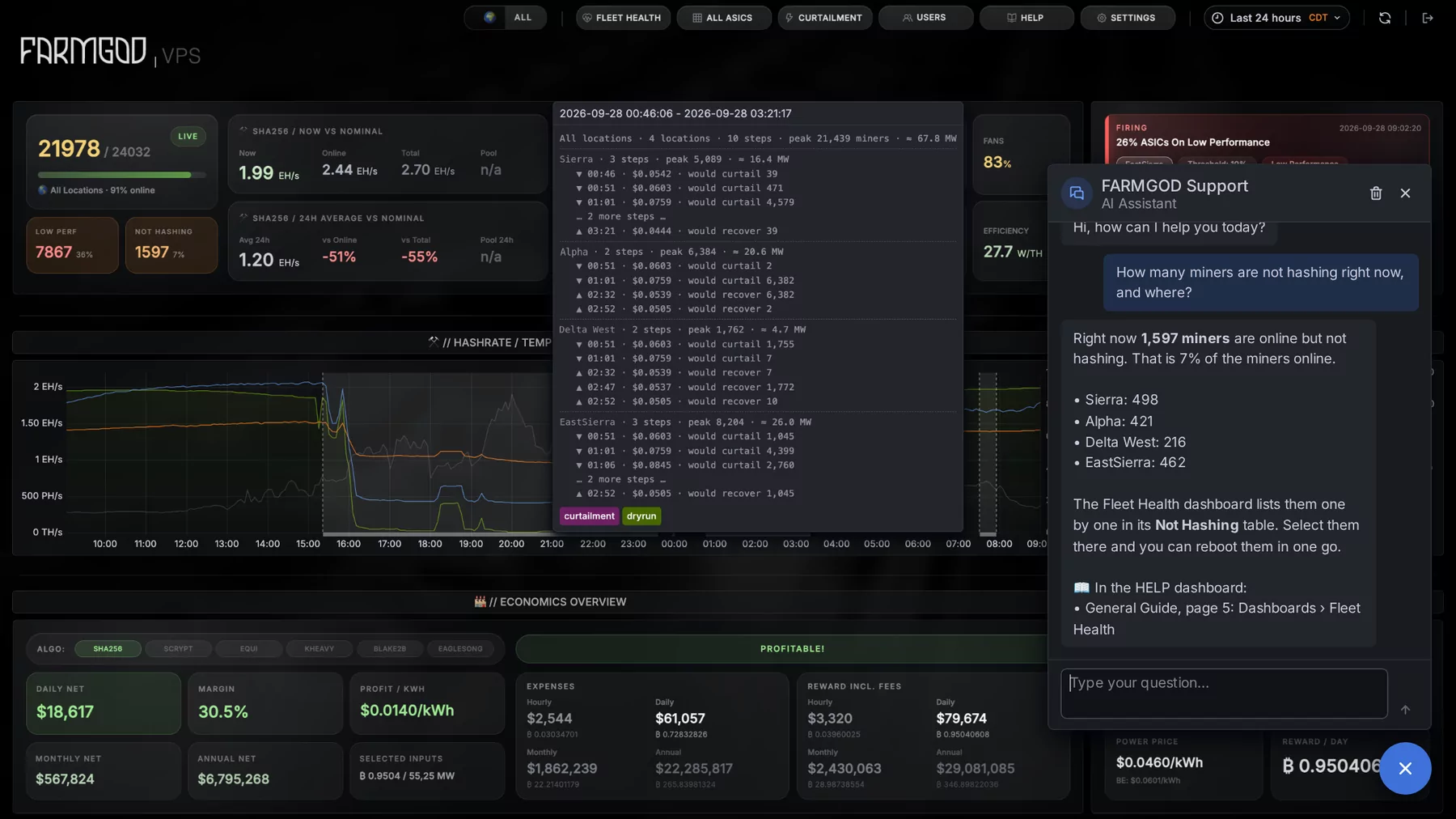
A chat bubble in the corner of every dashboard answers questions about FARMGOD itself, from the guides, and about your own fleet, from your data. It reads and explains; it does not act.
How to get it
- AI Cockpit and AI Audit: included on a Private VPS, part of Cloud PRO on FARMGOD Cloud. They need a Gemini API key, entered once in the settings.
- The support assistant: on FARMGOD Cloud it works without any setup.
Two articles show it in pictures: The AI Cockpit and A support assistant on every dashboard.
New to FARMGOD? Get started shows the three steps, and the pricing compares the plans.