Knowledge baseFARMGOD features
Board and chip detail: a look inside every hashboard
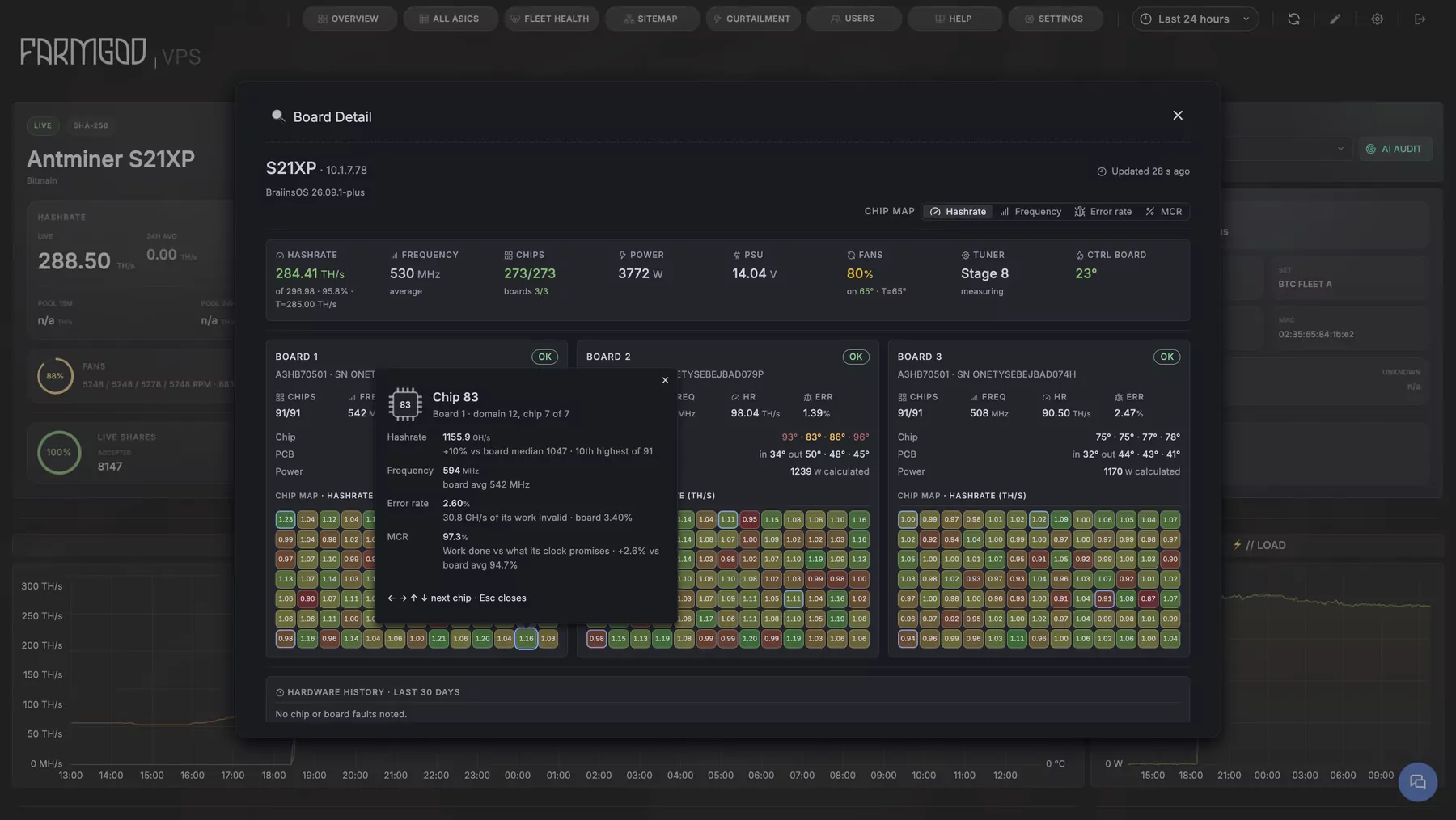
FARMGOD opens a miner's hashboards down to the single chip: hashrate, frequency, errors and temperatures, read live from the miner. On stock firmware, VNish, Braiins OS and Auradine.
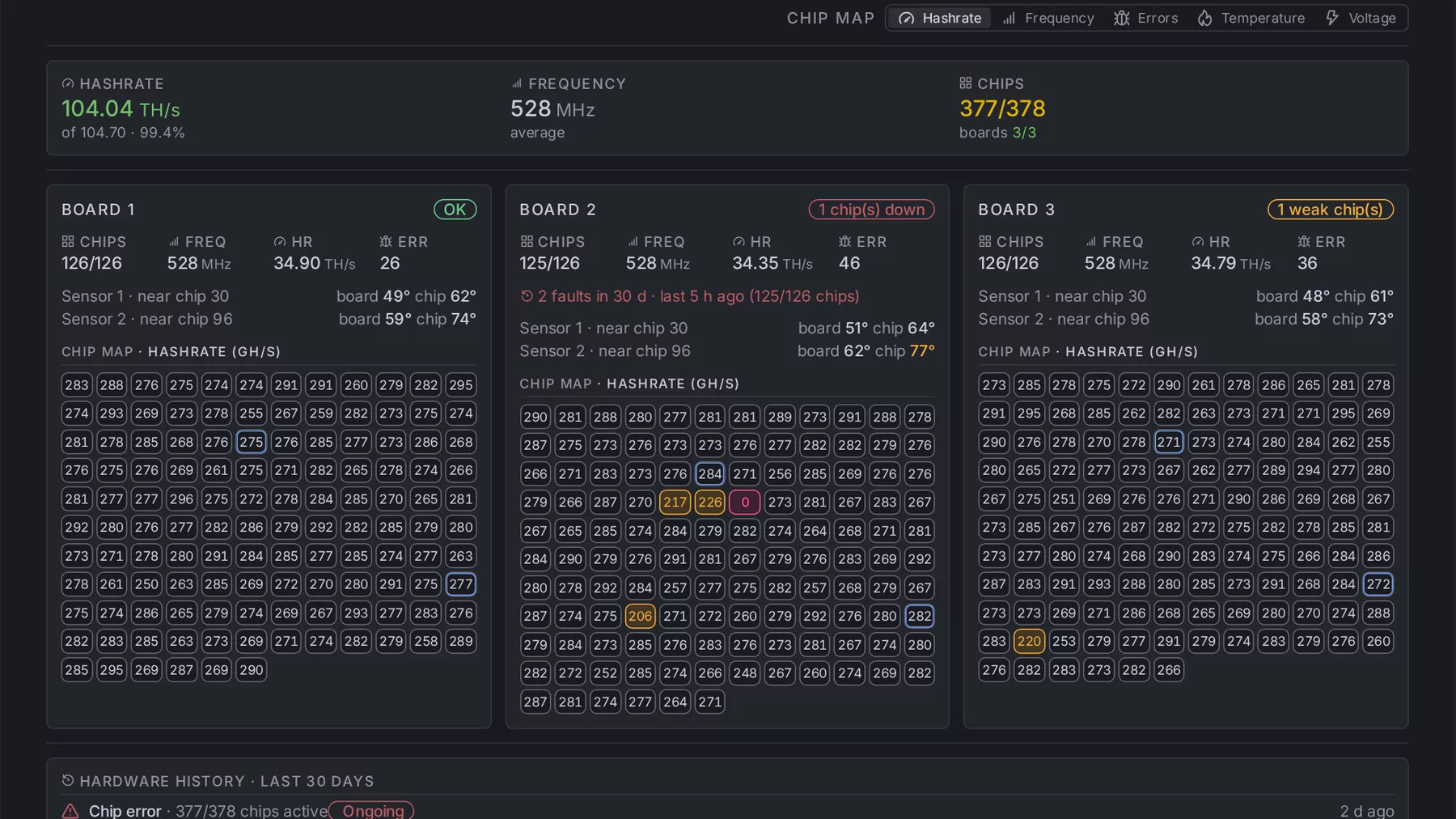
"3/3 boards" is where most dashboards stop. A board rarely dies all at once, though: it starts with a few chips that deliver less than their neighbours or throw more errors. FARMGOD shows them while the board still counts as healthy.
Where to find it
Open a miner and click the magnifier next to its boards. FARMGOD asks the miner itself, and the view refreshes for as long as it stays open.
What it shows
- The miner: hashrate against what it should deliver, average frequency, chips and boards found against those expected.
- Every hashboard: chips, frequency, hashrate, hardware errors and temperatures.
- Every chip: a map of the board, one cell per chip.
- The hardware history: the chip and board faults noted on this miner over the last 30 days.
How deep it goes
That depends on what the firmware reports:
- Braiins OS: hashrate, frequency, error rate and the measured-to-calculated ratio for every chip. The deepest of all.
- VNish: each chip's hashrate, frequency and errors, with the firmware's own verdict on weak and failing chips.
- Stock firmware on Antminers: frequency and temperatures per board, and every chip as working or failed.
- Auradine: temperature, frequency and voltage for every chip, and the coolant going in and out.
How to get it
It comes with the miner's page: nothing to set up. Two articles show it in pictures: Board and chip detail and Board and chip detail for Antminers on Braiins OS.
New to FARMGOD? Get started shows the three steps: FARMGOD Cloud is free for up to five miners.