Knowledge baseFARMGOD features
FARMGOD.OS: the link between your miners and your dashboard
FARMGOD.OS is a small operating system that turns any spare PC into the on-site part of FARMGOD: start it from a USB stick, and your miners show up on your dashboard.
Every farm needs one small thing on site: a computer in the miners' network that reads them and passes their data on to the dashboard. FARMGOD.OS is that computer's software, made so that nobody has to install or maintain a Linux system for it.
How it works
Write the image to a USB stick, plug the stick into a spare PC in the same network as your miners, and switch the PC on. It starts from the stick and connects to your account. There is no login, no password and no command line on that PC: everything else happens in your dashboard.
Miners are read from inside your own network. Nothing has to be opened from the internet into your farm.
Linking it to your account
- Your personal image, downloaded from your own account, links itself.
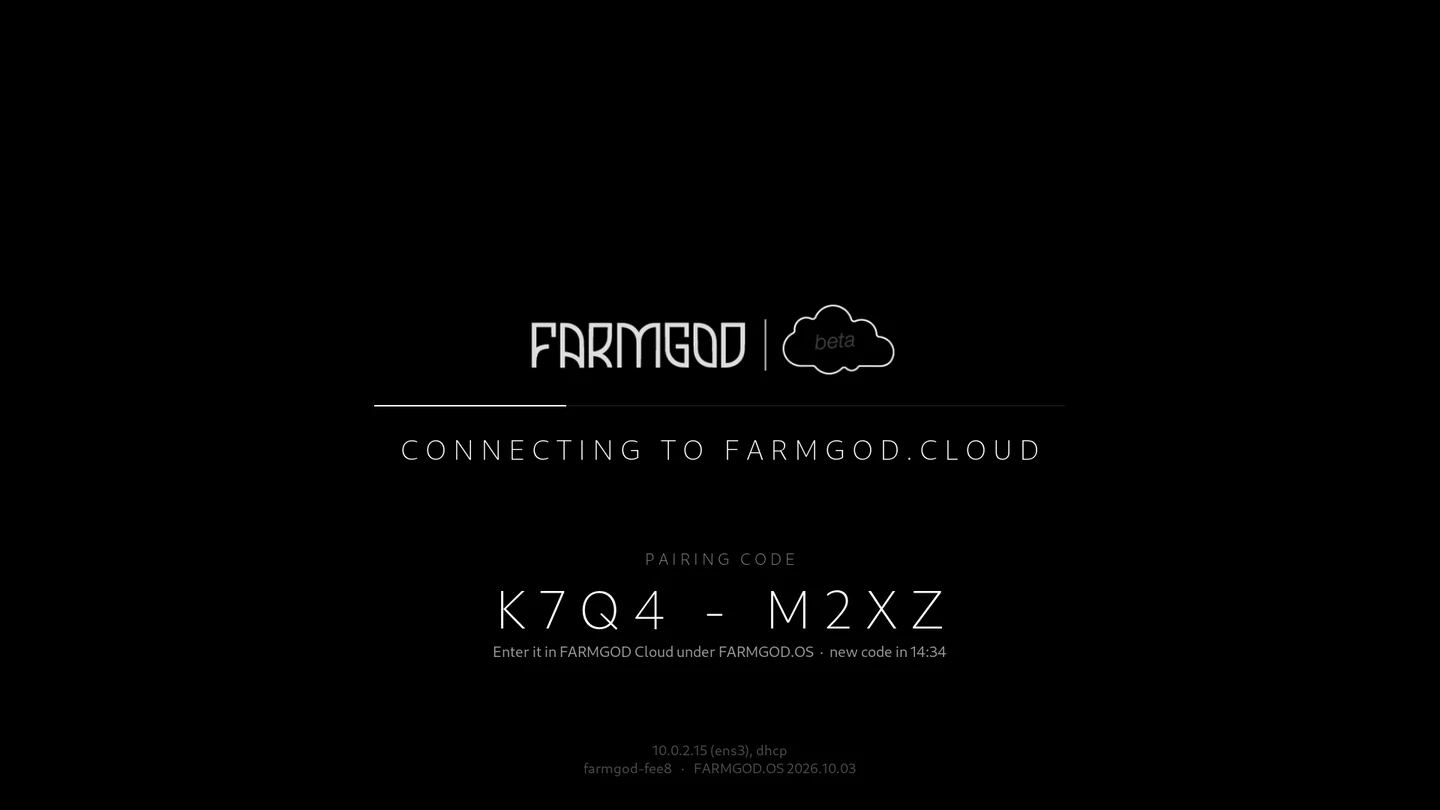
- The general image shows a pairing code on its screen, which you type into your account.
Every location gets its own stick, and a stick that is lost can be switched off from the settings.
More ways to run it
- VirtualBox: a ready virtual machine for Windows, Linux and Intel Macs.
- Apple Silicon: an image for Macs with M chips.
- Standalone Kollektor: the same on-site component as a package for a Linux computer you manage yourself, such as a Raspberry Pi.
All of them are on the download page.
How to get it
- Sign up for FARMGOD Cloud. It is free for up to five miners.
- Download FARMGOD.OS from your account and start it.
- Scan your network from the dashboard: your miners appear.
The article FARMGOD.OS and more released shows the screens.