October 5, 2026Features
FARMGOD.OS and more released
FARMGOD.OS turns any PC into the link between your miners and your dashboard: write it to a USB stick, start the PC from it, done. With it come versions for VirtualBox and for Apple Silicon, and the Kollektor as a package for your own Linux computer.
Every farm needs one small thing on site: a computer in the miners' network that reads them and passes their data on to your dashboard. Until now, setting that up meant installing Linux. From today it means a USB stick.
What FARMGOD.OS is
FARMGOD.OS is a small operating system with one job: it runs the Kollektor, FARMGOD's on-site component. Write the image to a USB stick of 4 GB or more, plug the stick into any PC in the same network as your miners, and switch the PC on. It starts from the stick.
There is no login, no password and no command line on that PC. Nothing has to be set up there. Everything else happens in your dashboard.
Linking it to your account
There are two ways, and both take a minute.
- Your personal image. Download FARMGOD.OS from your own account in FARMGOD Cloud, under FARMGOD.OS in the settings. That image already knows where it belongs and links itself.
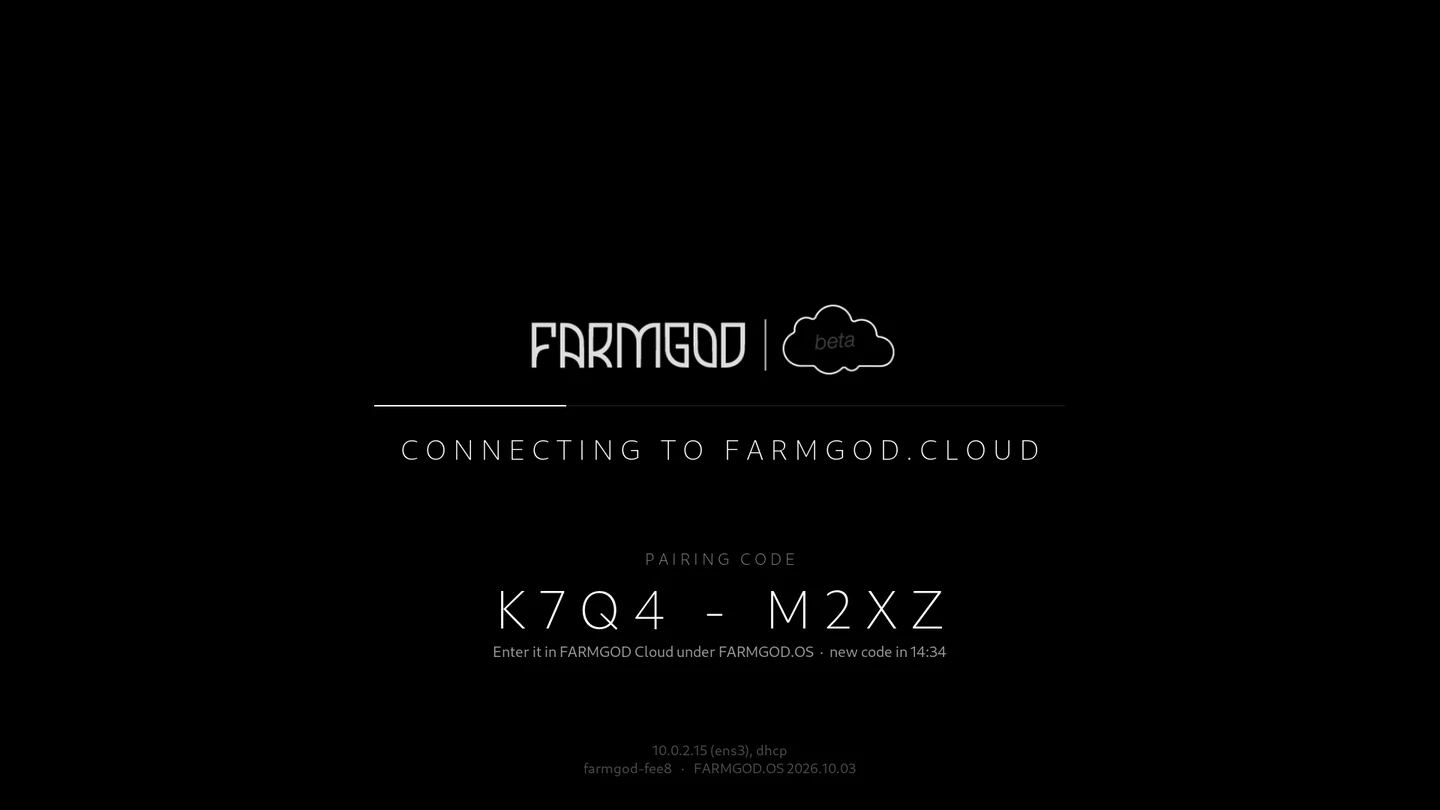
- The general image. The image from the download page shows a pairing code when it starts, as in the picture at the top. Type the code in under FARMGOD.OS in FARMGOD Cloud.
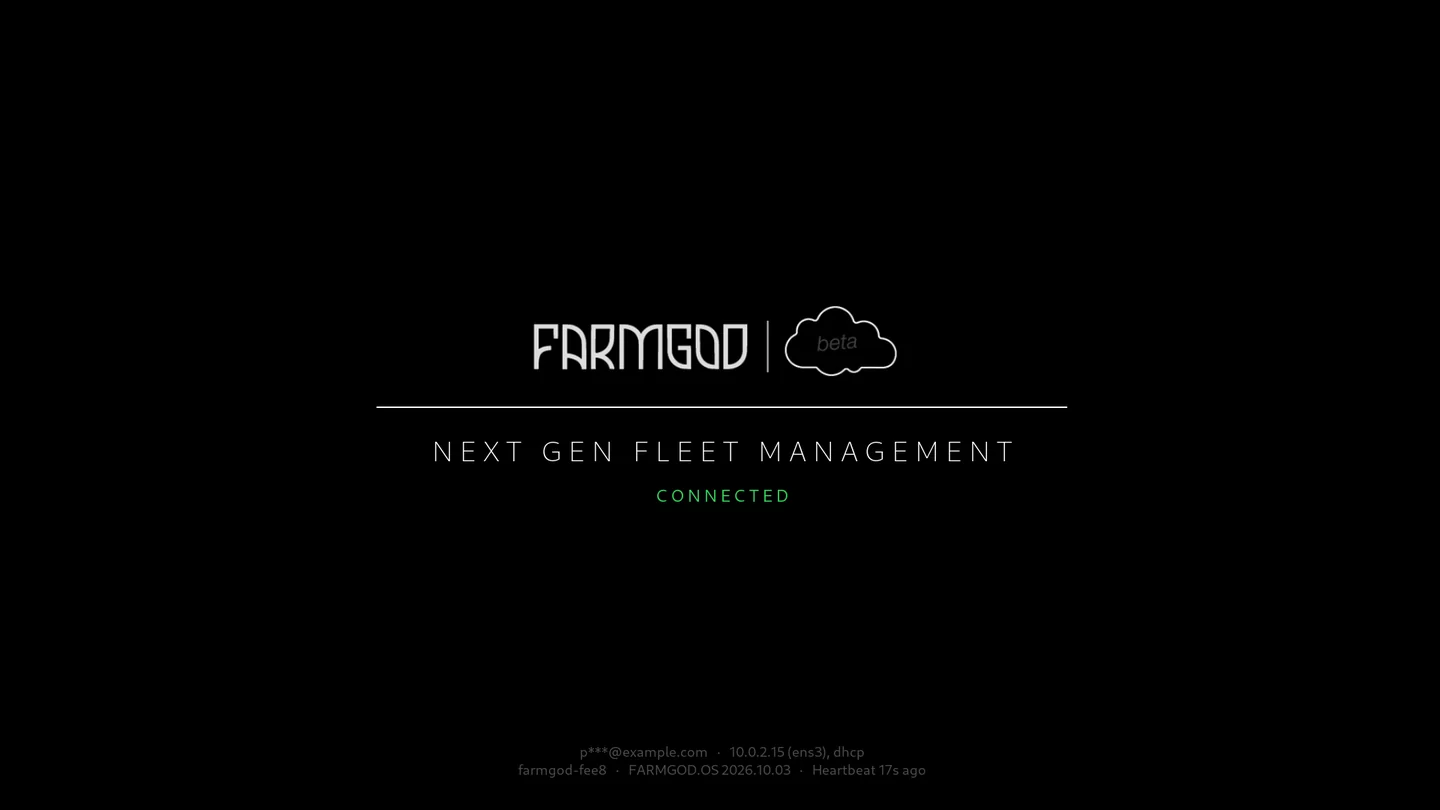
When the screen says CONNECTED, the work on site is done. Back at your own computer, scan the network from the dashboard and your miners appear.
One stick per site
Every location gets its own stick. The settings list your FARMGOD.OS installations with the location each one serves. A stick that is lost or no longer needed can be switched off from there.
And more: other ways to run it
Not everybody has a spare PC, and not everybody wants one more device. So FARMGOD.OS comes in more than one shape, and the Kollektor is also there on its own.
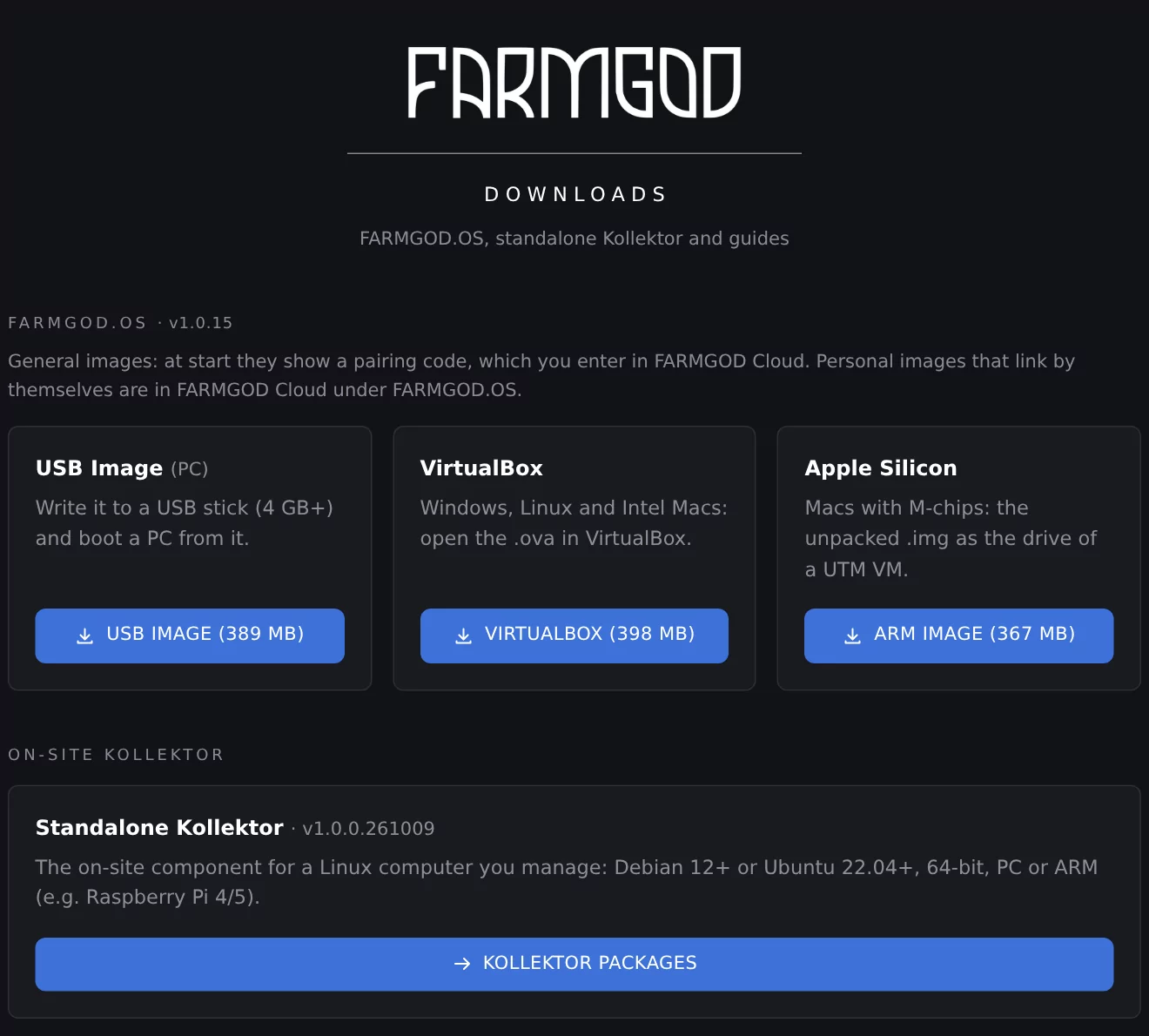
- USB image for a PC. The standard way, described above.
- VirtualBox. A ready virtual machine for Windows, Linux and Intel Macs: open the file in VirtualBox and start it.
- Apple Silicon. An ARM image for Macs with M chips, to run as a virtual machine in UTM.
- Standalone Kollektor. For a Linux computer you manage yourself: packages for Debian 12 or newer and Ubuntu 22.04 or newer, for PCs and for ARM computers such as a Raspberry Pi 4 or 5.
All of it is on the download page, together with the guides as PDFs.
Where to start
Get started shows the three steps from signing up to the first miner on your dashboard. The Cloud Quickstart Guide walks through each of them with pictures.