October 23, 2026Features
What's new in FARMGOD, week 43
Map a whole rack without typing an IP, swipe from rack to rack on your phone, and run your fleet from your pocket: what's new in FARMGOD this week.
User interface
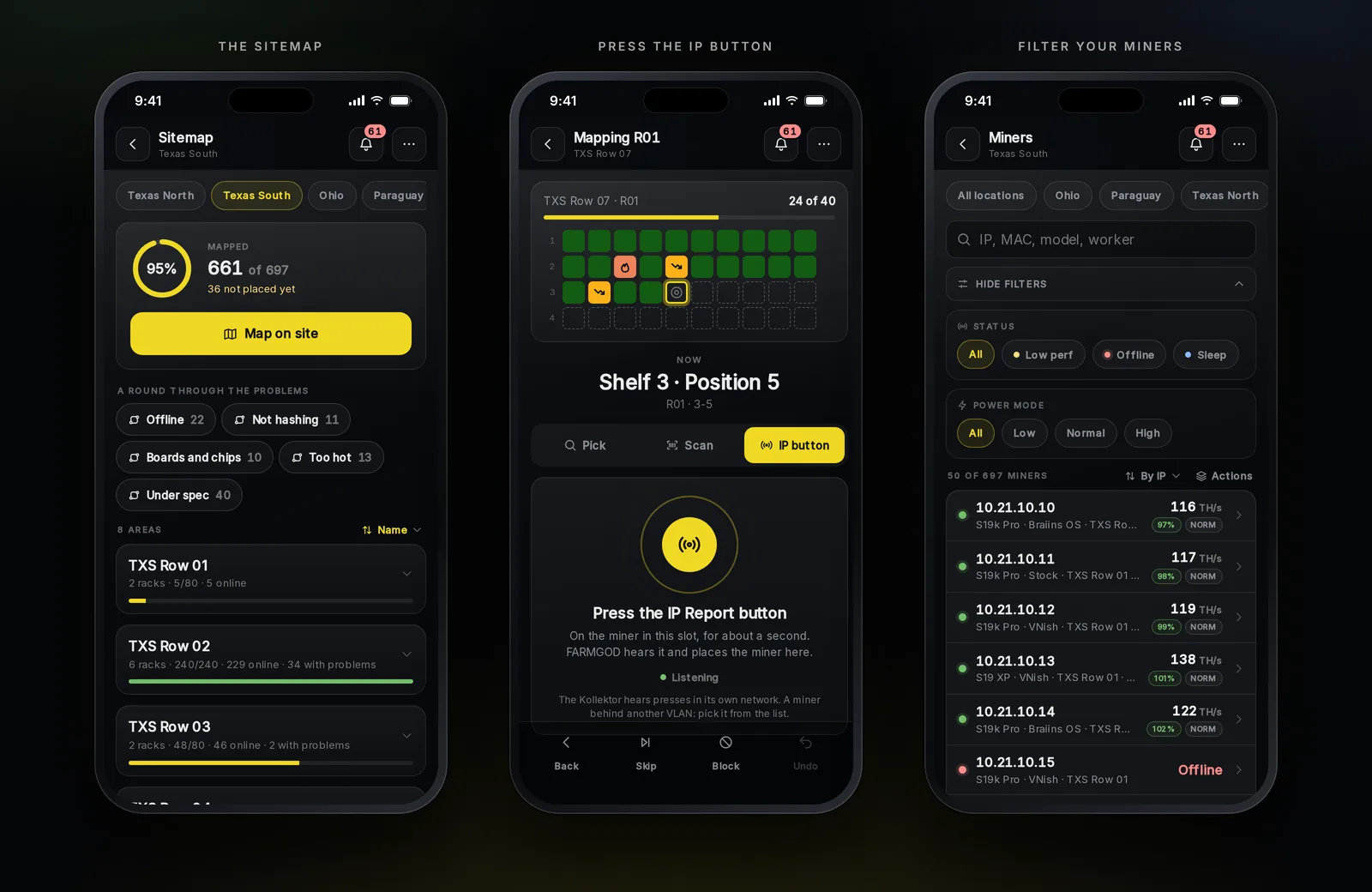
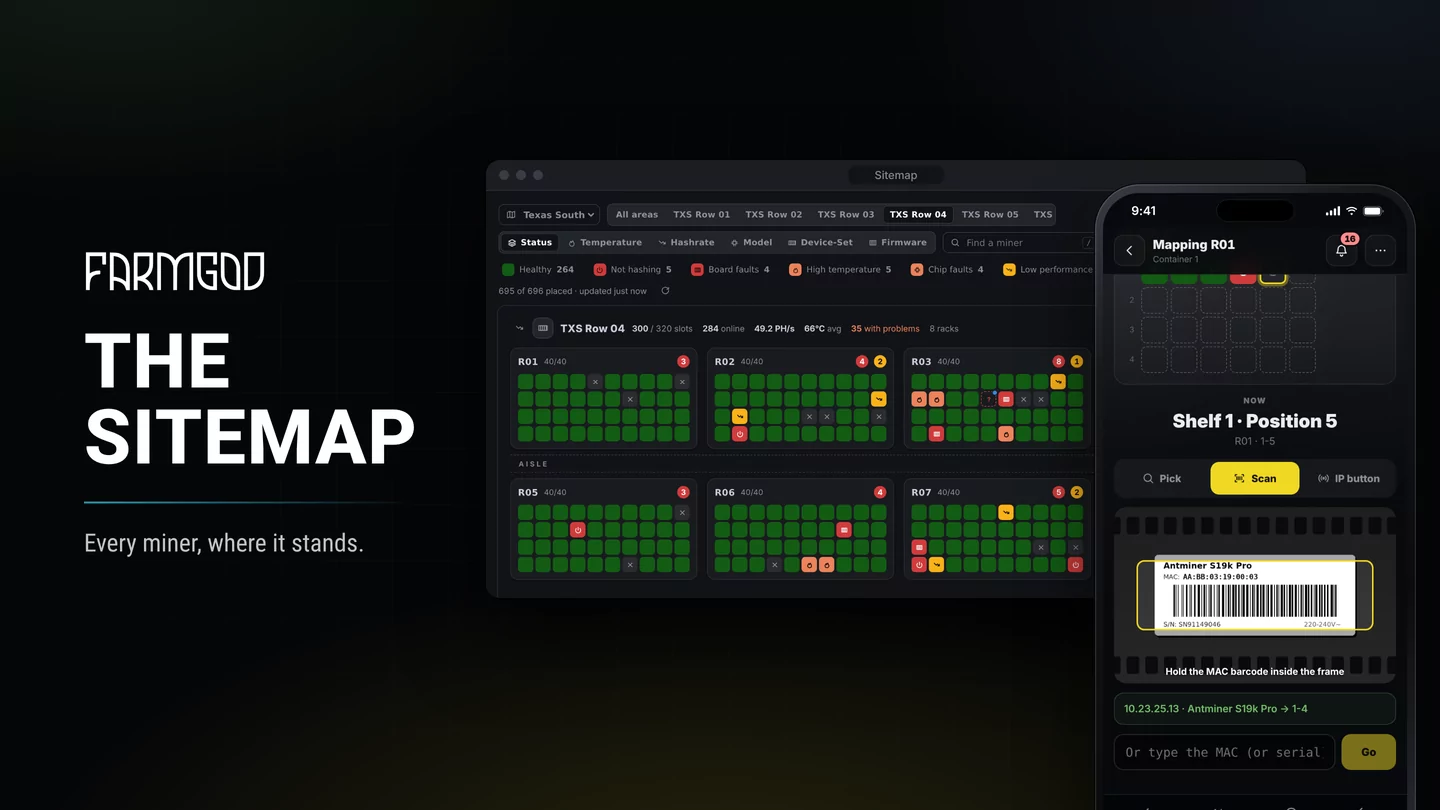
- Sitemap, all new. Draw your racks on the desktop, then walk the floor with your phone: press the IP Report button on a miner and it lands in its slot by itself, one miner after the next with no waiting. Antminers and Whatsminers both report. Bring in an existing layout from a CSV file and see everything before it's applied. Part of Cloud PRO and every Private VPS.
- Scan the sticker, place the miner. No IP button at hand? Point your phone at the miner's MAC sticker and FARMGOD puts it in the slot, on iPhone and Android.
- Swipe through your racks. On the phone, swipe left or right to go from rack to rack; your Status or Temp view stays as it is.
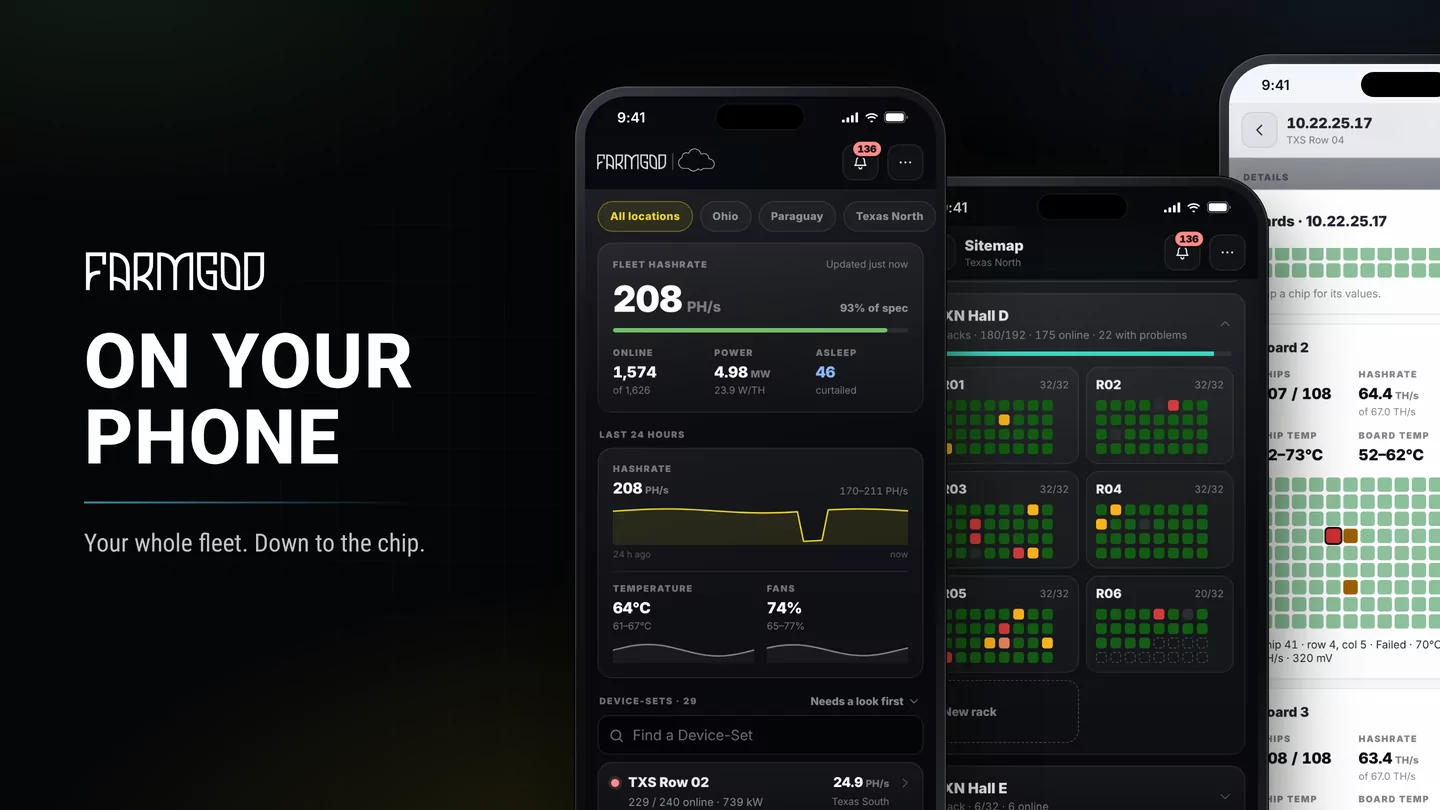
- Your fleet in your pocket. The phone's Miners screen shows all miners or just one Device-Set, with filters for status, low performance and power mode, sorting, and actions on a whole selection in a few taps.
- Much faster start. Dashboards open up to 80 % faster, on desktop and phone.
- Right-click a Device-Set in the Overview and Device-Sets lists for the same actions as the toolbar.
- Numbers that tell the story: profit margin shows the share of revenue you keep, Market and Overview cards fit any screen, and Bitcoin rewards shine in Bitcoin orange.
- Videos where you need them: a video library in HELP, plus short how-to videos in the assistant, onboarding and Settings.
- One offline time everywhere: a miner counts as offline after 3 minutes without data, the same on every page.
- Smoother updates: while we update, your dashboards show a short notice, and they tell you when a newer Kollektor is ready.
- Cloud sign-up with referral codes: share your link with other miners.
Tools: FARMGOD.OS and Kollektor
- Lighter on your internet. The Kollektor sends far less data: one site measured less than half of what it used before.
- Power control on more miners: Power Limit for stock Antminers, Power Target for Whatsminers, and a real LED blink on Whatsminers to find a machine on the shelf.
- Antminer Z15 and the Z-series: pool worker and chip temperatures right in your lists.
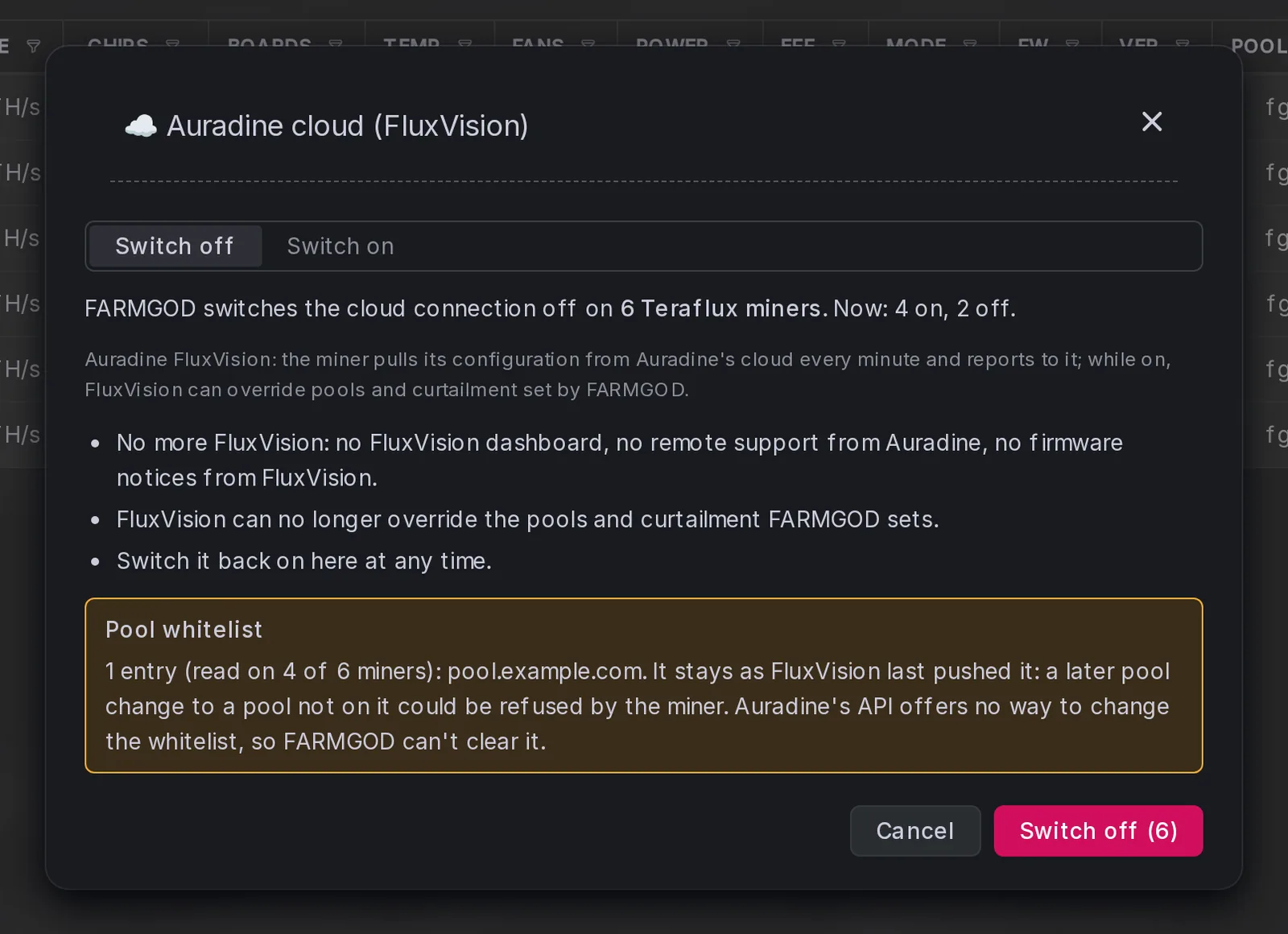
- Auradine Teraflux, your call: switch the miners' connection to Auradine's cloud on or off from FARMGOD, so pools and curtailment stay yours and your internet line stays quiet.
- Stays connected through short network or server hiccups, and nothing gets lost when part of a Device-Set doesn't answer.
- Gentle on strict networks: Auto Scan can be switched off completely, and polling can go down to 2 miners at a time.
- More firmware: better support for stock Antminers on other firmware builds.
FARMGOD.OS picks up the new Kollektor at its next start; a standalone Kollektor shows you the update on the dashboard.
Questions or ideas? Let us know!