August 13, 2026Features
The AI Cockpit: an assistant that reads your miners
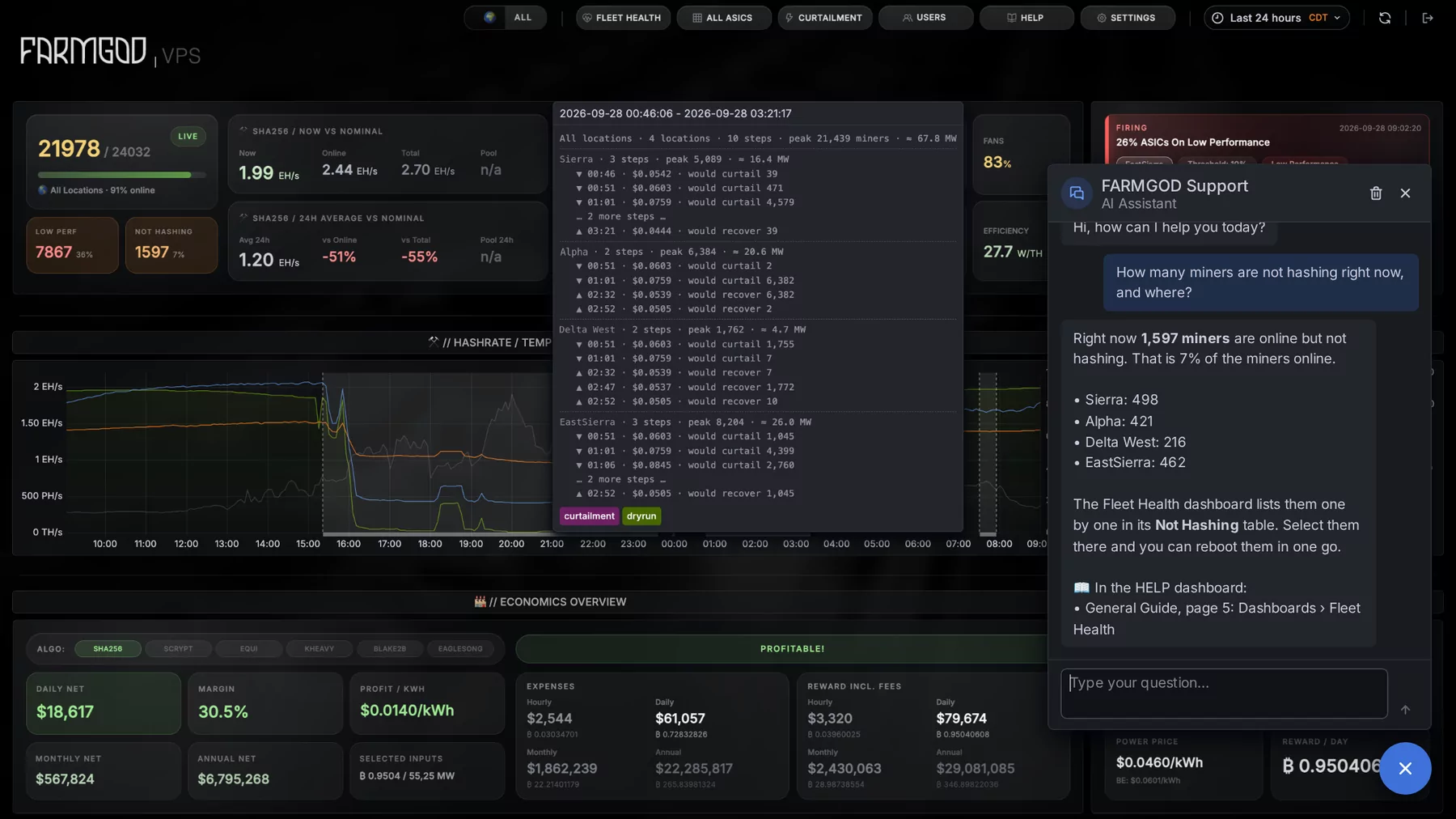
FARMBOT, the AI in FARMGOD, reads a miner's live stats, settings and history, tells you what looks wrong and can act on it, once you say yes.
Seeing a miner's numbers and knowing what they mean are two different things. The AI Cockpit does the second part for you. The assistant behind it is called FARMBOT.
Ask about one miner, or about many
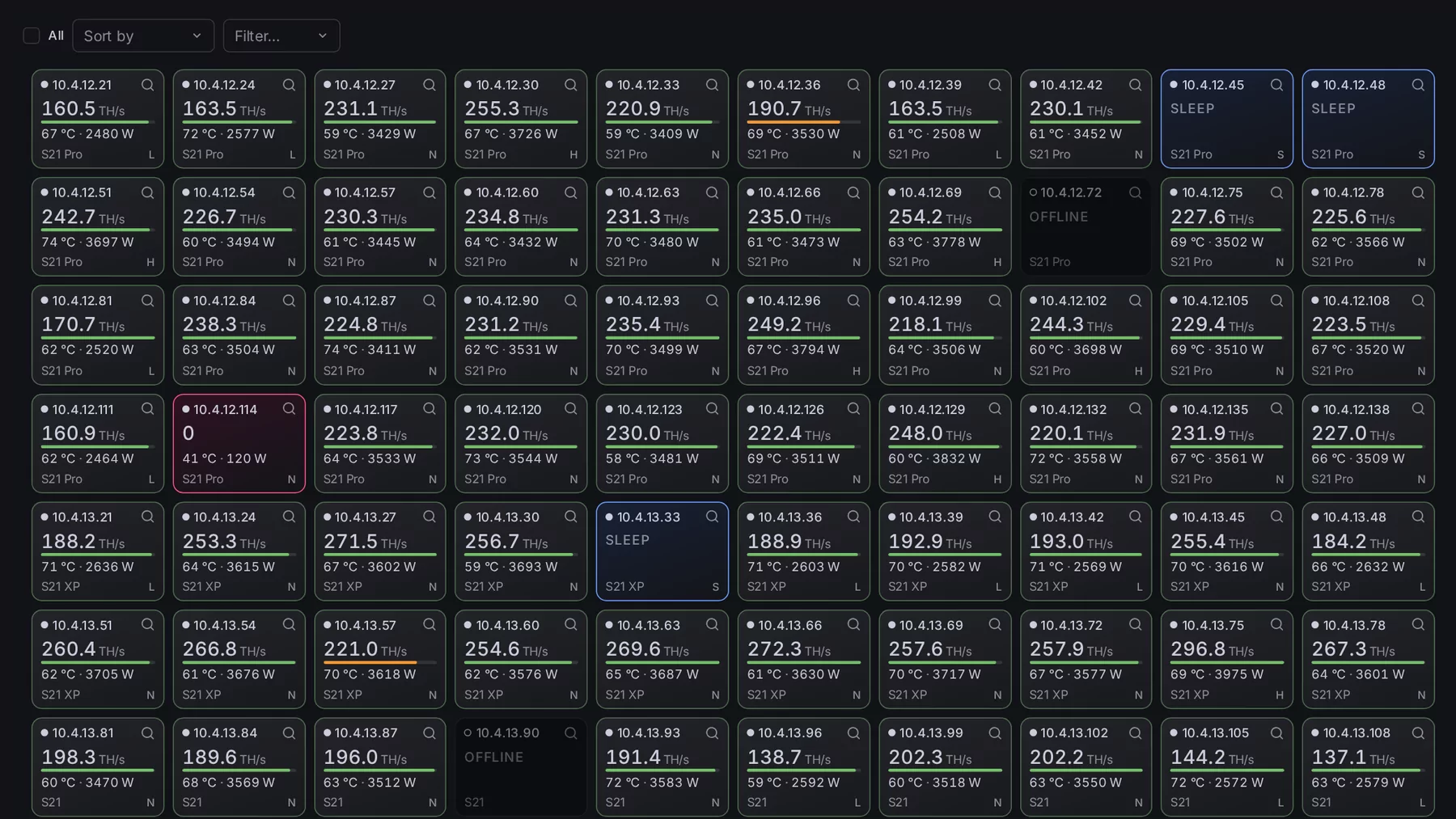
- One miner. The AI button in a miner's row, or AI AUDIT on its own page, analyses that miner on demand. FARMBOT pulls its live stats, its configuration and its recent history, and opens the cockpit with what it found.
- A whole selection. AI Audit in the toolbar runs the same analysis across the miners you selected, or across whatever the list is filtered to. "Everything flagged as low performance" becomes one click.
The report card
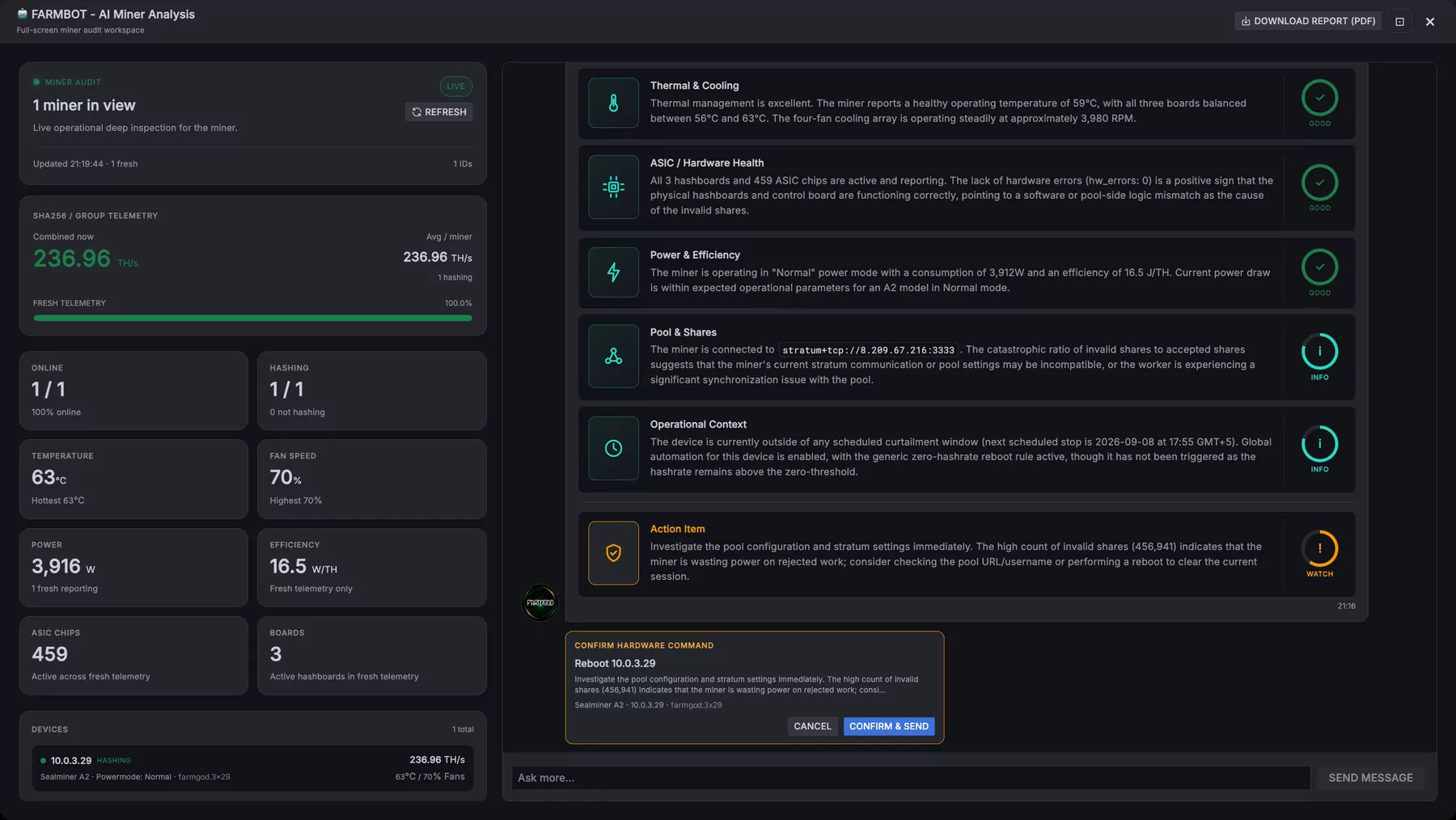
The answer comes as a report card, section by section: thermal and cooling, hardware health, power and efficiency, pool and shares, and what is going on around the miner, such as its curtailment schedule and automation rules. Each section gets a verdict, and where something needs doing, an action item says what.
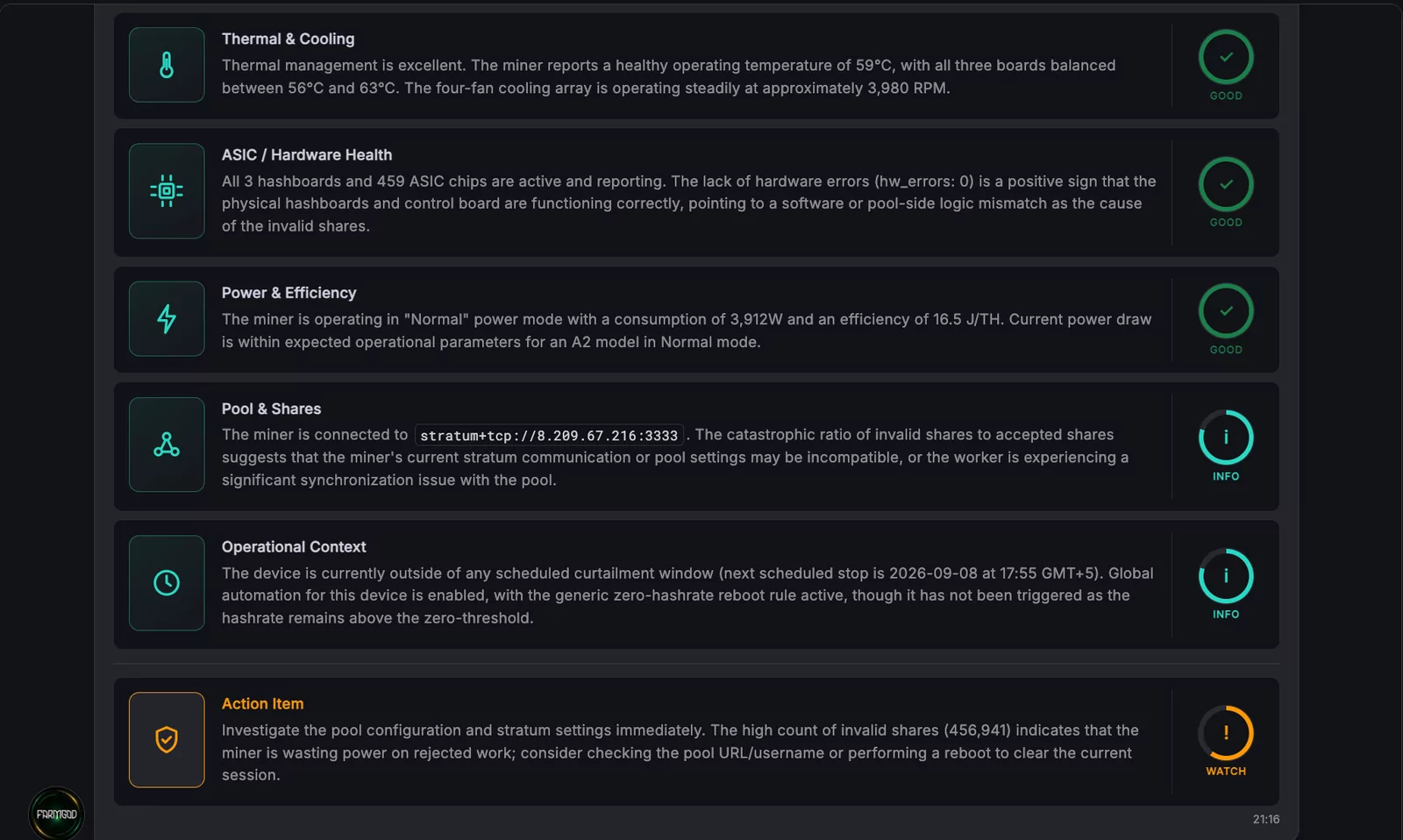
Next to it the cockpit shows the numbers the report is based on: hashrate, temperature, fan speed, power, efficiency, chips and boards.
Then ask
Below the report is an open chat. "Why is this one running hot?" "Has this happened before?" Ask in plain language. The whole inspection can be downloaded as a PDF.
It never acts on its own
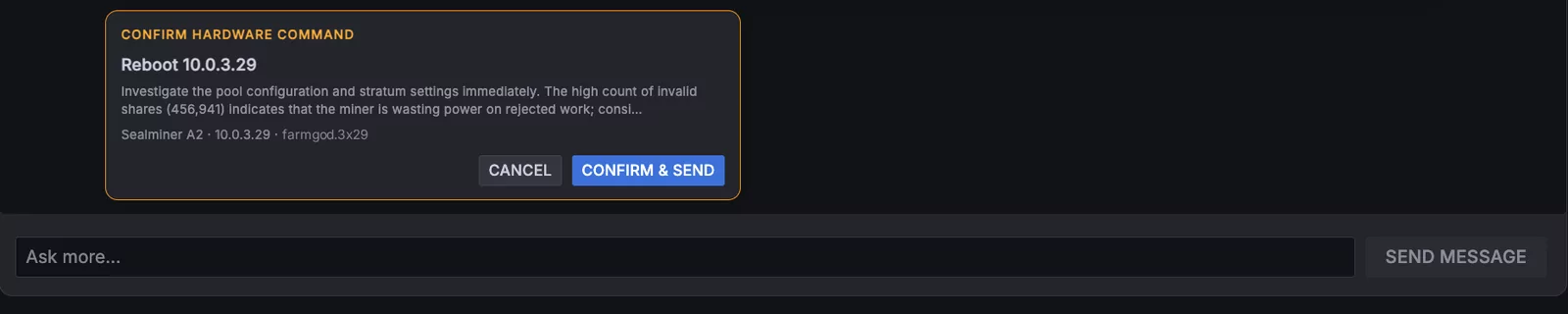
When FARMBOT recommends a fix, a reboot or a change of power mode, it shows exactly what it wants to do and waits. Nothing is sent until you click Confirm, and the command passes the same permission and compatibility checks as one you trigger by hand.
Audits that run by themselves
Switch on the AI Auditor in the settings and FARMGOD runs the same analysis across your fleet on a schedule, saving each diagnosis as a note on the miner. With the Telegram notification on, the findings come to your phone.
What it needs
A Gemini API key, entered once under AI Audit in the settings. Until then the AI buttons stay disabled and say why. On a Private VPS the AI Cockpit is included; on FARMGOD Cloud it is part of Cloud PRO. The pricing section has the details.