October 1, 2026Features
The miner list as tiles, with a right-click menu for every miner
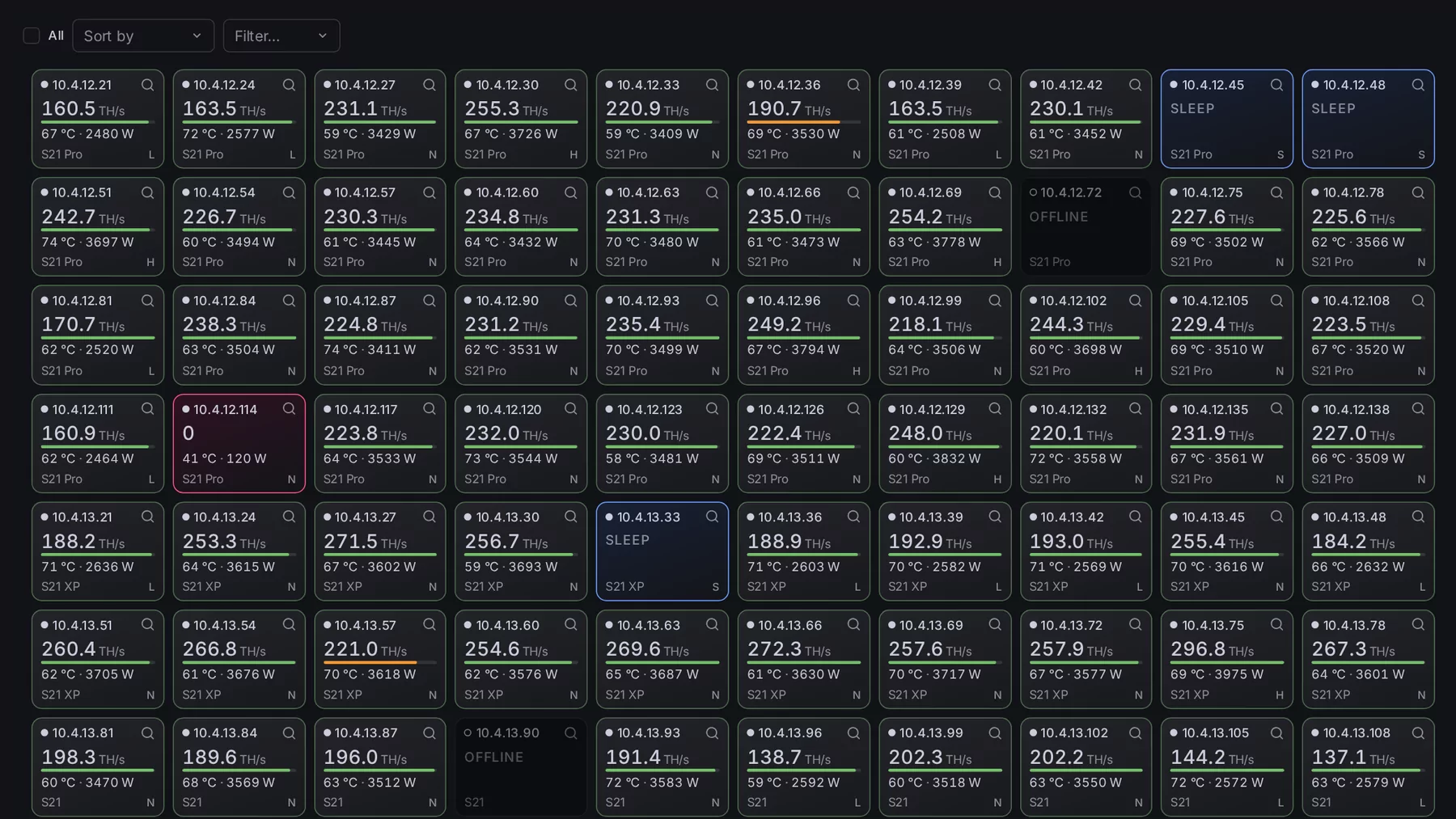
The miner list has a second view: 100 miners on one page as tiles, each with hashrate, temperature and power at a glance. And a right-click on any miner now opens its actions.
A table is good for reading one miner. For seeing a hundred at once it is the wrong shape. So the miner list now has a second view: tiles.
A hundred miners on one page
A switch in the list's toolbar turns the table into a grid of 10 by 10 tiles. Your browser remembers the choice, and every miner list follows it: the overview, All ASICs, a Device-Set's page and a model's page.
Each tile is one miner:
- Its IP address, and a magnifier that opens the miner's own page.
- Its hashrate, in large figures.
- A thin bar under it: hashrate against the model's spec. Green from 90%, orange from 75%, red below. It is there for SHA-256 miners.
- Temperature and power, in the same warning colours as the table. Hover over a tile and it shows efficiency and fan speed instead.
- Model and power mode in the bottom line: L, N or H for low, normal and high.
The tile's colour is the miner's state: green is hashing, red is online without hashrate, blue is asleep, dark is offline. A miner that needs attention stands out before you have read a single number.
Select, sort, filter
A click selects a tile. A click with Shift held selects everything in between. Select all, Sort by and Filter sit in the toolbar. The selection is the same one the table uses, so every action works on tiles exactly as it does on rows.
New: the right-click menu
This one is for the table and the tiles alike. Right-click a miner and its actions open right at the pointer.
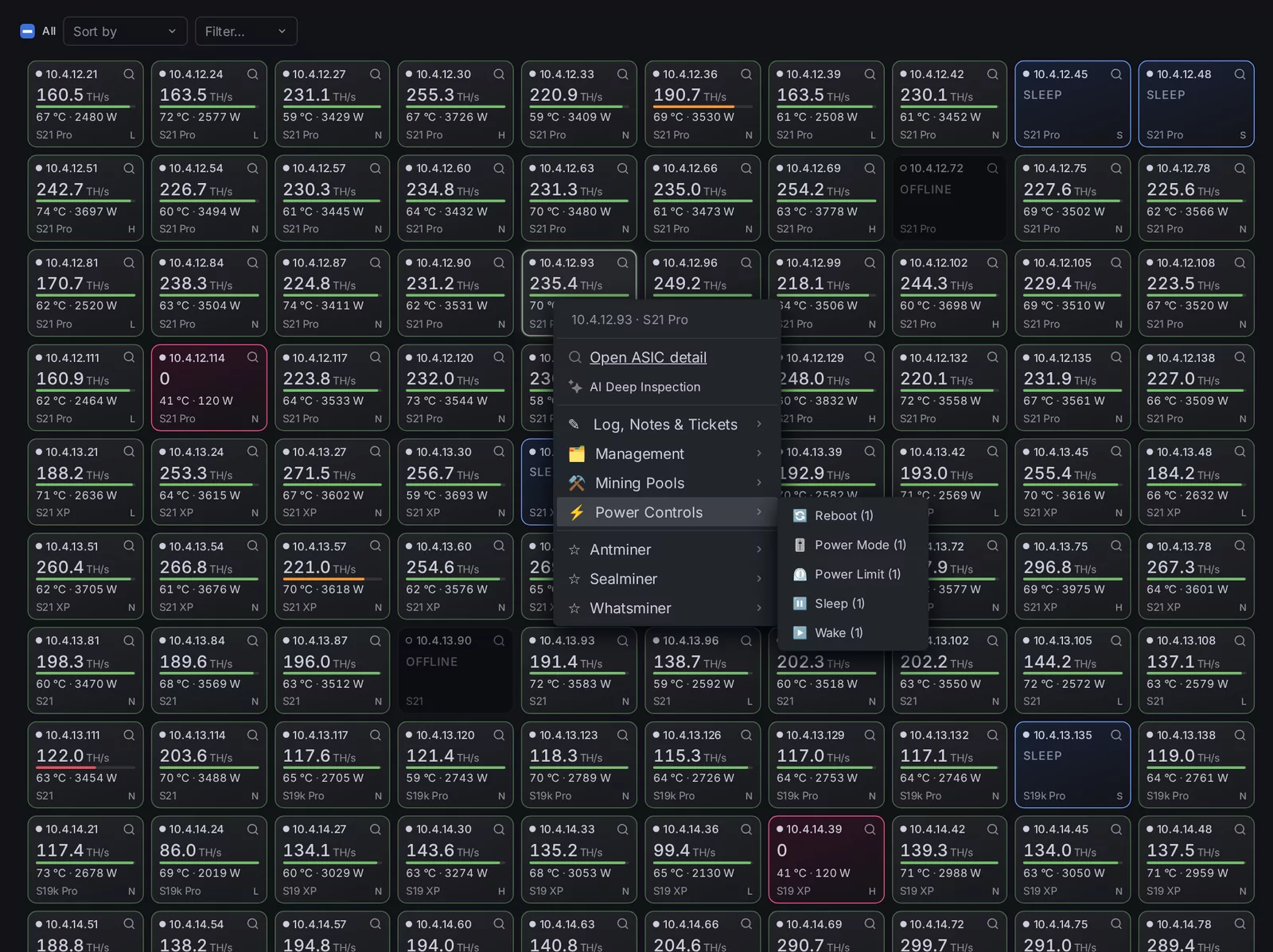
- Open ASIC detail and AI Deep Inspection come first.
- Below them are the same actions as in the toolbar's menu, in the same groups: log, notes and tickets, management, mining pools, power controls, and the tools that only one make of miner has.
- The number behind an action says how many of the selected miners support it.
Right-click a miner that is not selected, and the menu is for that miner alone. Right-click one of several selected miners, and it is for all of them. Close the menu without choosing anything, and your selection is back the way it was.