August 21, 2026Features
A new head for the overview, Device-Set and ASIC pages
The top of FARMGOD's three main pages is redesigned: what matters about a fleet, a Device-Set or a single miner now reads at a glance.
The first thing a page shows should answer the first question you have. We rebuilt the top of the three pages you open most, so it does.
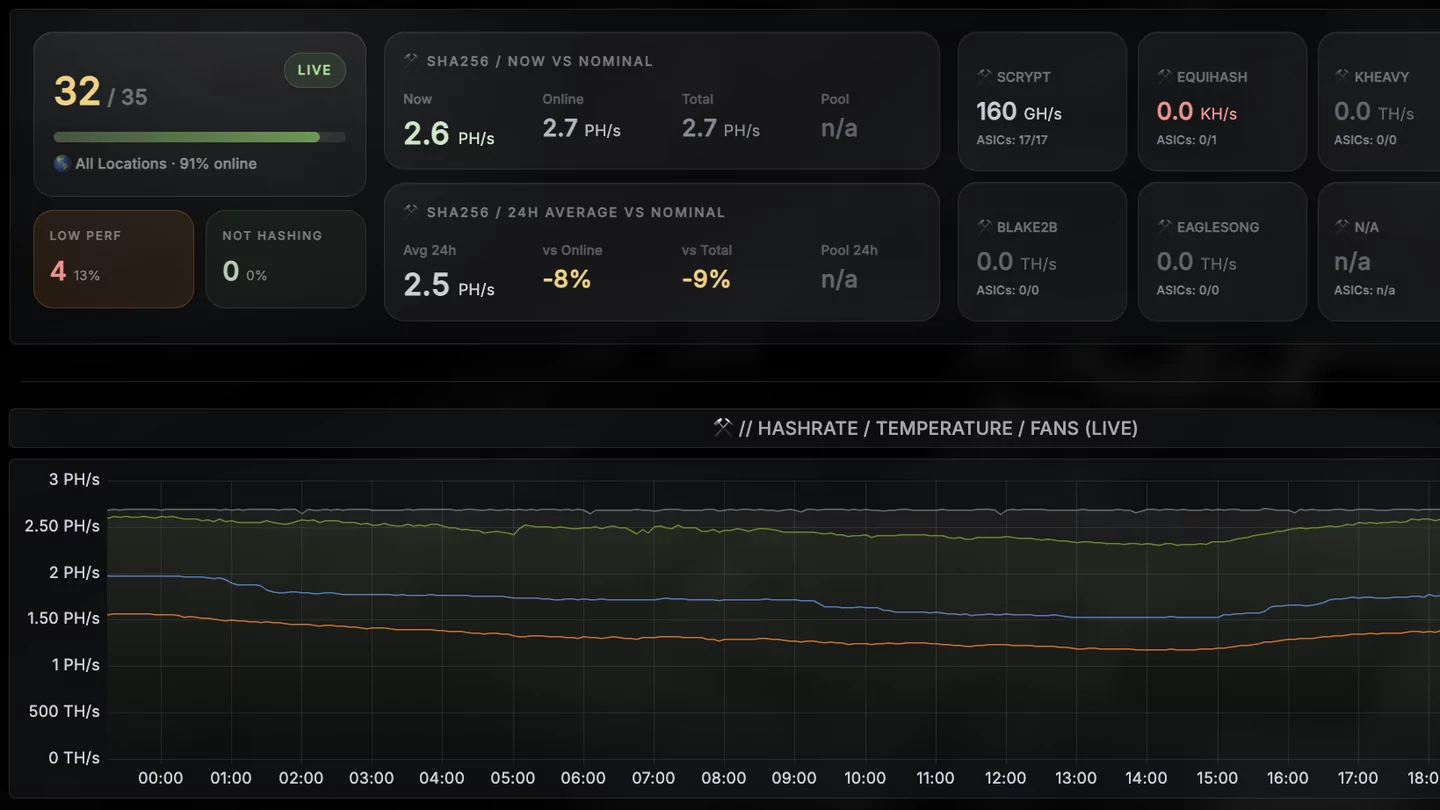
The overview: the fleet in one row
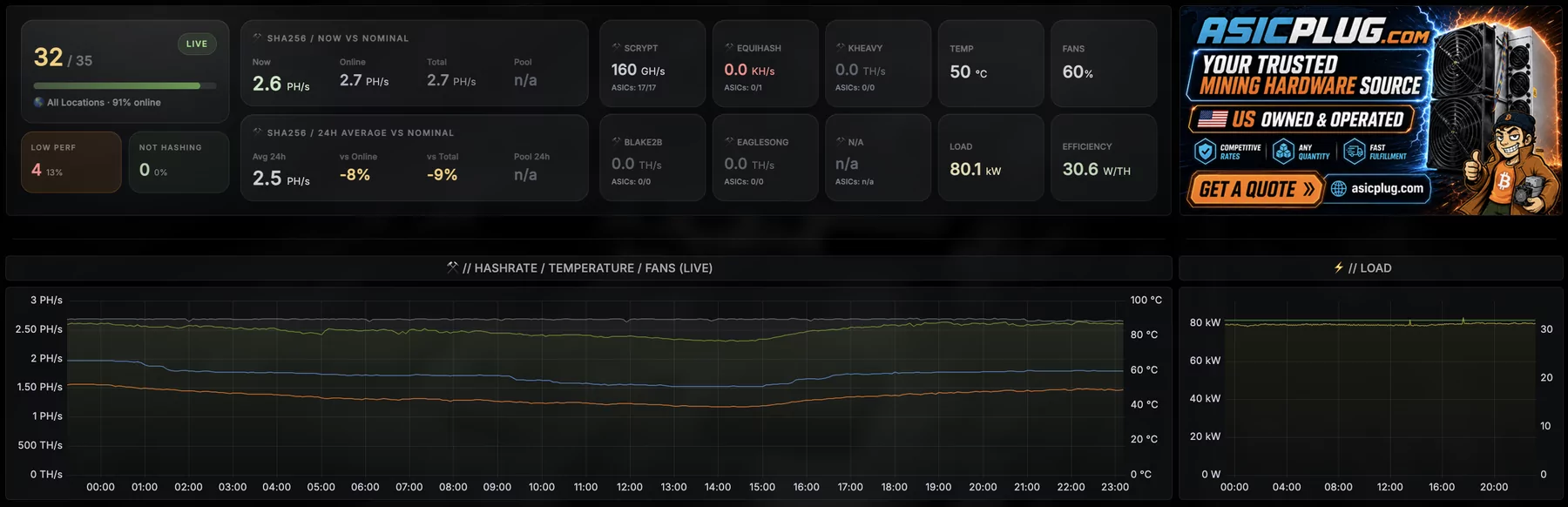
- How many miners are online, out of how many, with the share as a bar. Right below are the two numbers that need attention: miners on low performance and miners not hashing.
- Hashrate against what the fleet should deliver. Now and as the 24-hour average, each compared with the nominal hashrate of the miners online and of all of them, with the pool's figure next to it.
- Every algorithm on its own. Each algorithm you run has its own tile with its hashrate and its miners, so SHA-256 and the others are never added up into one number.
- Temperature, fans, load and efficiency for the whole fleet.
When an alert fires, it appears right next to this row, before you scroll anywhere.
A Device-Set: the same view, one level down
Open a Device-Set and its page starts the same way: the set's hashrate now and over 24 hours against its nominal and the pool's figure, then temperature, fans, load and efficiency. Next to it: who owns the set, when it was created and when it last reported.
Below that sit the set's own economics: daily net, margin, profit per kWh and break-even.
A single miner: everything about it on one screen
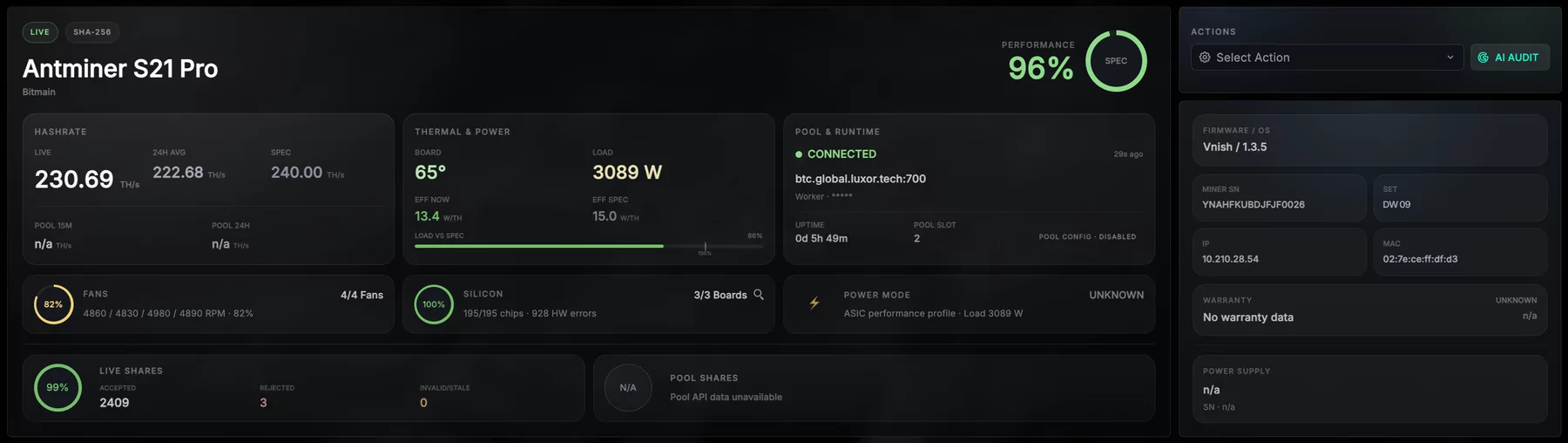
- Performance against its spec, as one number at the top.
- Hashrate: live, the 24-hour average and the spec, and what the pool sees.
- Thermal and power: board temperature, load, and the efficiency now against the spec.
- Pool and runtime: connected or not, which pool, and the uptime.
- Fans, silicon and power mode: boards and chips found, hardware errors, and the shares accepted and rejected.
- On the right: the actions for this miner and what identifies it: firmware, serial number, Device-Set, IP and MAC address, warranty and power supply.
Why
Until now these numbers sat in separate panels and you put the picture together yourself. Now the page does it for you, on a fleet of thirty miners and on one of thirty thousand.